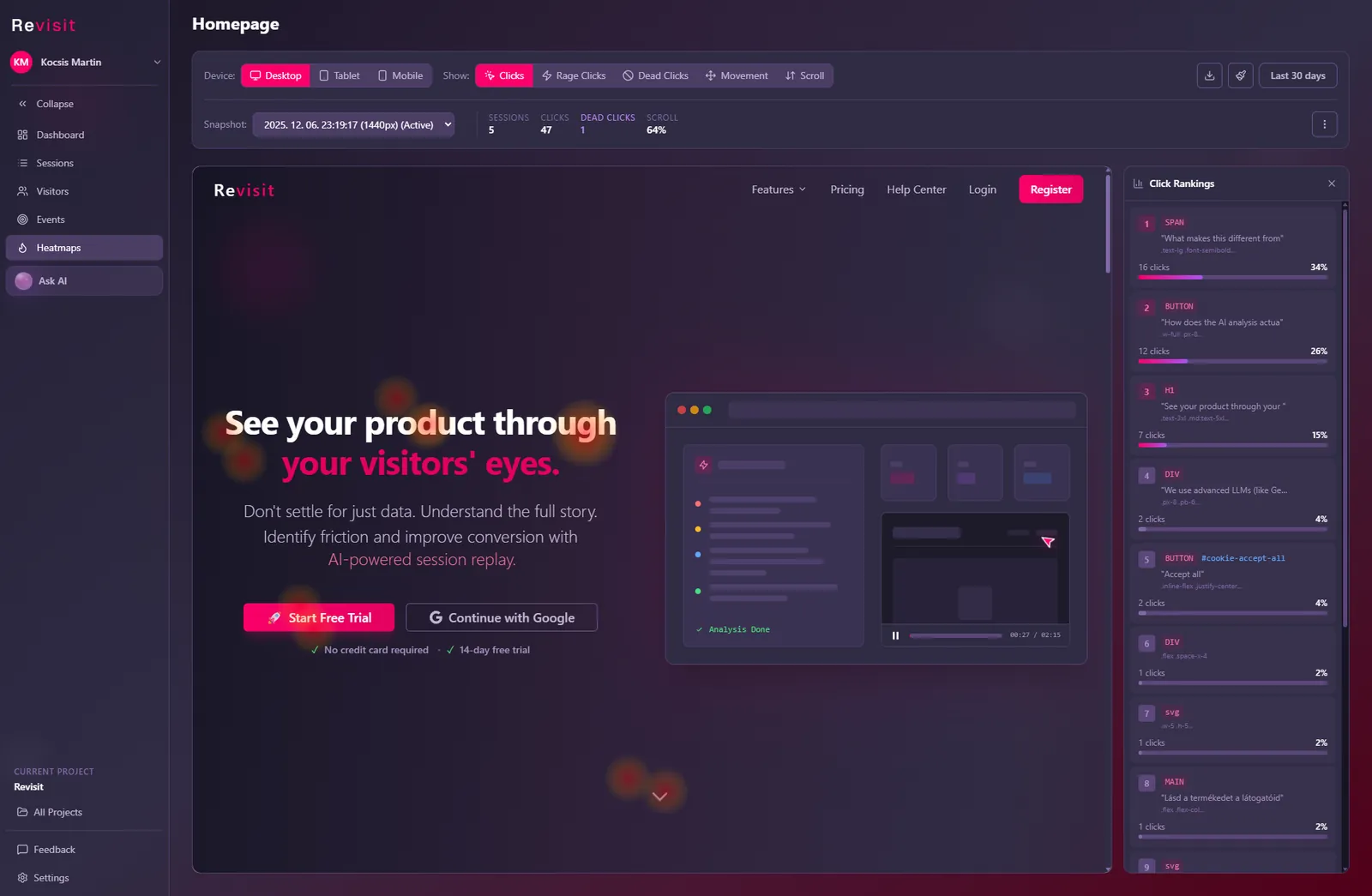
Rage clicks are several fast clicks on the same spot, usually because something didn’t respond the way the visitor expected. Dead clicks are clicks that produce no reaction at all: no page change, no new content, no request. Both are strong signs of frustration, and both are easy to fix once you can see which element caused them and what the visitor was trying to do.
This guide explains how rage clicks and dead clicks are detected, the most common causes we see on real websites, how to find them without watching hours of recordings, and a practical checklist for fixing each one.
What is a rage click?
A rage click is a burst of clicks in quick succession on roughly the same place on the page. Picture someone tapping a “Pay now” button again and again because the page seems frozen. Analytics tools that detect rage clicks look for a small cluster of clicks close together in both time and position.
In Revisit, a rage click is three or more clicks within 0.8 seconds, all within about 40 pixels of each other. Each one is scored higher when there are more clicks in the burst, and higher still when the page didn’t visibly react to them.
What is a dead click?
A dead click is a single click that changes nothing. The visitor clicks, and for the next second there is no navigation, no change to the page, no network request and no error. Typical examples: an image that looks like a link, a heading styled like a button, or a “Next” button that silently fails validation.
Revisit counts a click as dead when nothing reacts to it within one second.
| Signal | What the visitor does | What it usually means |
|---|---|---|
| Rage click | Clicks the same spot several times, fast | Something is slow, broken or unclear, and the visitor is losing patience |
| Dead click | Clicks once, nothing happens | The element looks clickable but isn’t, or the action failed silently |
| Error click | Clicks and a JavaScript error is thrown | A real bug in the code behind that element |
Why do rage clicks and dead clicks matter?
Most frustration never reaches you as a support ticket. Visitors who hit a broken button rarely write in; they leave. Funnels and page analytics will show that people dropped off, but not that they clicked “Apply coupon” five times first. Rage clicks and dead clicks turn that silent frustration into something you can count, sort and fix.
They are especially valuable because they tend to point at:
- Revenue-critical moments. Checkout, sign-up and pricing pages are where people click with intent.
- Problems your team can’t see. A bug that only happens in one browser, on slow connections or on small screens.
- Design that misleads. Elements that look interactive but aren’t, which no error log will ever report.
The most common causes (and how to fix them)
1. A button that is slow to respond
The click works, but the page gives no feedback for a few seconds while a request runs. Visitors assume it didn’t register and click again.
Fix: show feedback immediately (a pressed state, a spinner or “Processing…”), disable the button while the request runs so repeated clicks can’t submit twice, and look at why the request is slow.
2. An action that fails silently
The click triggers a JavaScript error or a failed request, and the interface shows nothing. This is the classic broken “Apply coupon” or “Add to cart”.
Fix: open the replay at the click and check the console and network log next to it. Then fix the error, and always show a human-readable message when an action fails.
3. Something that looks clickable but isn’t
Underlined text that isn’t a link, product images that don’t open the product, cards with a hover effect but no link, icons without an action. These produce dead clicks rather than rage clicks.
Fix: either make the element do what people expect (link the image to the product), or remove the cues that suggest it’s interactive.
4. Form validation that doesn’t explain itself
The visitor clicks “Continue”, the form refuses to submit, and the error message is off-screen or missing.
Fix: show errors next to the field, scroll to the first error and move focus to it, and say exactly what needs to change (“Enter a 4-digit postcode”, not “Invalid input”).
5. Elements that are covered or too small
A cookie banner, chat widget or sticky bar sits on top of the button, or the target is tiny on mobile. The click lands on something else.
Fix: check the replay on the device where it happened, make tap targets at least about 44 by 44 pixels, and keep overlays away from primary actions.
6. Pages that move while loading
Content shifts just as the visitor clicks, so the click hits a different element. Late-loading images, ads and fonts are the usual suspects.
Fix: reserve space for images and embeds (set width and height), and avoid inserting content above what the visitor is reading.
How to find rage clicks and dead clicks on your site
You don’t need to watch every recording. A practical routine looks like this:
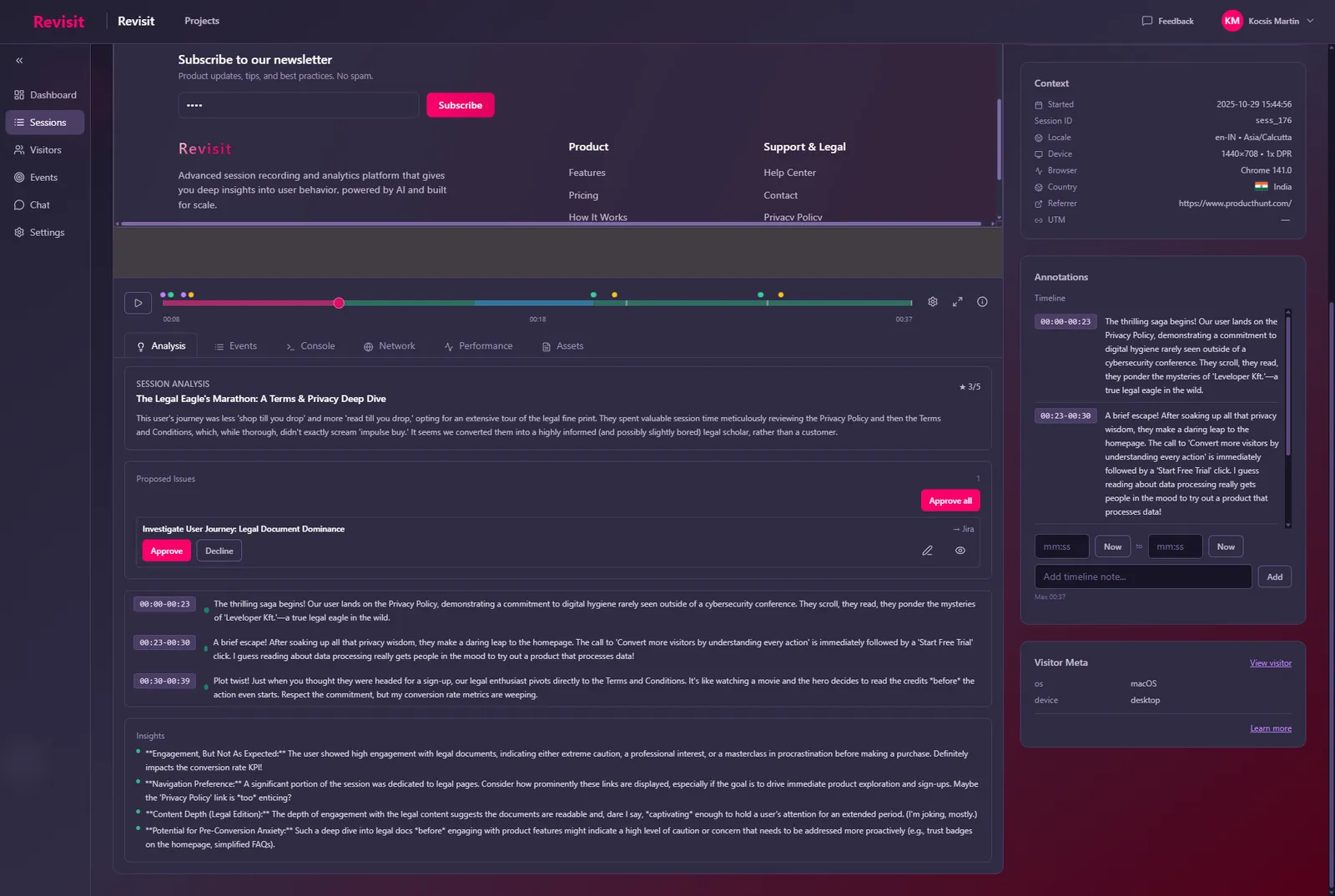
- Start from the worst sessions. Revisit flags rage clicks, dead clicks, form struggles, back-and-forth navigation and scroll thrashing automatically and gives each session a struggle score, so you can sort and open the worst ones first.
- Look for the pattern on the page. On the heatmap for that page, rage and dead clicks show up as clusters on specific elements, across many visitors.
- Watch the moment, not the whole visit. Jump to the marked moment in the replay and watch the 10 seconds before it. Check the console and network log at the same time.
- Read the summary. If you use AI insights, the session summary usually describes the problem in a sentence, such as “the coupon button returned an error and the visitor tried four more times”.
- File it and verify. Turn it into an issue with the session linked, fix it, then check that the clusters disappear from the heatmap for new visits.
A quick checklist
- Every button gives visible feedback within a fraction of a second.
- Buttons are disabled while their action runs, so repeated clicks can’t double-submit.
- Failed actions show a clear, specific message.
- Anything that looks clickable is clickable, and anything that isn’t doesn’t look like it.
- Form errors appear next to the field and get focus.
- Banners and chat widgets never cover primary actions on mobile.
- Images and embeds have reserved space, so the layout doesn’t jump.
Frequently asked questions
What is a rage click?
A rage click is a burst of fast, repeated clicks on the same spot, usually because an element did not respond as expected. In Revisit it is three or more clicks within 0.8 seconds, within about 40 pixels of each other.
What is the difference between a rage click and a dead click?
A dead click is a single click that produces no reaction: no navigation, no change to the page, no network request. A rage click is several fast clicks in one place. Dead clicks often point to elements that look clickable but are not; rage clicks often point to slow or broken actions.
Are rage clicks always a bad sign?
No. Quantity steppers, carousels and habitual double-clicks can look like rage clicks. They matter when they cluster on the same element across many visitors, or when they come right before someone leaves.
How do I find rage clicks without watching every recording?
Use a tool that detects them automatically. Revisit flags rage and dead clicks in every session, scores sessions by how much the visitor struggled, shows the clicks on heatmaps, and lets you jump straight to the moment in the replay.
How do I fix a rage click on a button?
Show feedback immediately when it is clicked, disable it while its action runs, show a clear message if the action fails, and fix whatever made it slow or broken. Then check that the click cluster disappears for new visitors.