

Loading Revisit...
Skip to content

Session replay. AI insights. Clear next steps.

See why your visitors leave.

Watch real visits to your website. Let AI find the confusing steps, broken buttons and missed opportunities, so you know what to fix next.

14 days free · No credit card · Set up in minutes

One visit. The whole story.

Interactive example · 84-second visit
01:24Leaves without paying
01:24 / 01:24

Revisit AIAnalysis ready

A broken coupon. A lost sale.

The moments that matter, without watching every second.

  1. 00:09Added the linen overshirt to the bag and went to checkout with a coupon code.
  2. 01:02“Apply” threw a TypeError, so the discount never showed up.
  3. 01:03They clicked it four more times.
  4. 01:24Then they left the checkout without paying.

What to look into

Check the coupon button at checkout. It returned an error, the shopper clicked four more times, then left their €89 order behind.

Proposed issueFix TypeError when applying a coupon→ Jira

Illustrative session and AI analysis.

Works on any website, including

  • WordPress
  • Google Tag Manager
  • React
  • Vue
  • Next.js
  • Webflow

Behind every drop-off is a person.

The numbers tell you they left.
Now see why.

Someone wanted to buy. Something got in the way. Go beyond the drop-off chart and see the moment that made them leave.

A woman browsing on her laptop at a café table.
A visit worth understanding.01 / The visitor

Where the numbers stop

  1. Product page100%
  2. Cart46%
  3. Checkout31%
  4. Paid12%

Example funnel: checkout is losing visitors. But a chart can’t tell you what went wrong.

Where the answer starts

On iPhone, “Apply coupon” throws an error at checkout. 14 of the 19 visitors who left there had tapped it.

An example finding, with every one of those sessions one click away.

Less time watching. More time improving.

You shouldn’t need an afternoon of recordings to find one broken button. AI summarizes each visit and brings the important ones to the top. Read the highlights. Open the replay. Decide what to fix.

A team discussing what they see on a laptop together.
A clearer starting point for your team.02 / Your team
  1. 14:32Clicked “Continue to payment” five times. Nothing happened, so they left the checkout.5/5
  2. 3:15Searched for “returns” twice, found nothing and opened the contact page.4/5
  3. 8:51Compared Starter and Professional for several minutes, then left without starting a trial.4/5
  4. 22:07Read three blog posts and signed up for the newsletter.2/5
  5. 11:40Browsed a few product pages and didn’t add anything to the cart.1/5
60 minutes of recordings. 5 sentences to read. Example sessions, sorted the way Revisit sorts them: most interesting first.
  1. A summary for every visit

    As soon as a session ends, the AI writes a title and a short summary, and marks the key moments on the replay timeline.

  2. The important ones first

    Each session gets an interest score from 1 to 5. Sort by it and open only the replays worth your time.

  3. Ask across all of them

    Ask in plain English, like “Why do people leave the checkout?”, and get an answer drawn from your recordings.

From “what happened?” to “here’s the fix.”

Replay the visit, pinpoint the friction and see how often it happens. Everything you need to understand the problem, in one place.

00:00

Watch it like a video

Revisit rebuilds the page exactly as your visitor saw it. Clicks, scrolling, typing, page changes, console messages and network requests all sit on one timeline. Skip the quiet parts, jump to any moment, share a link or export an MP4.
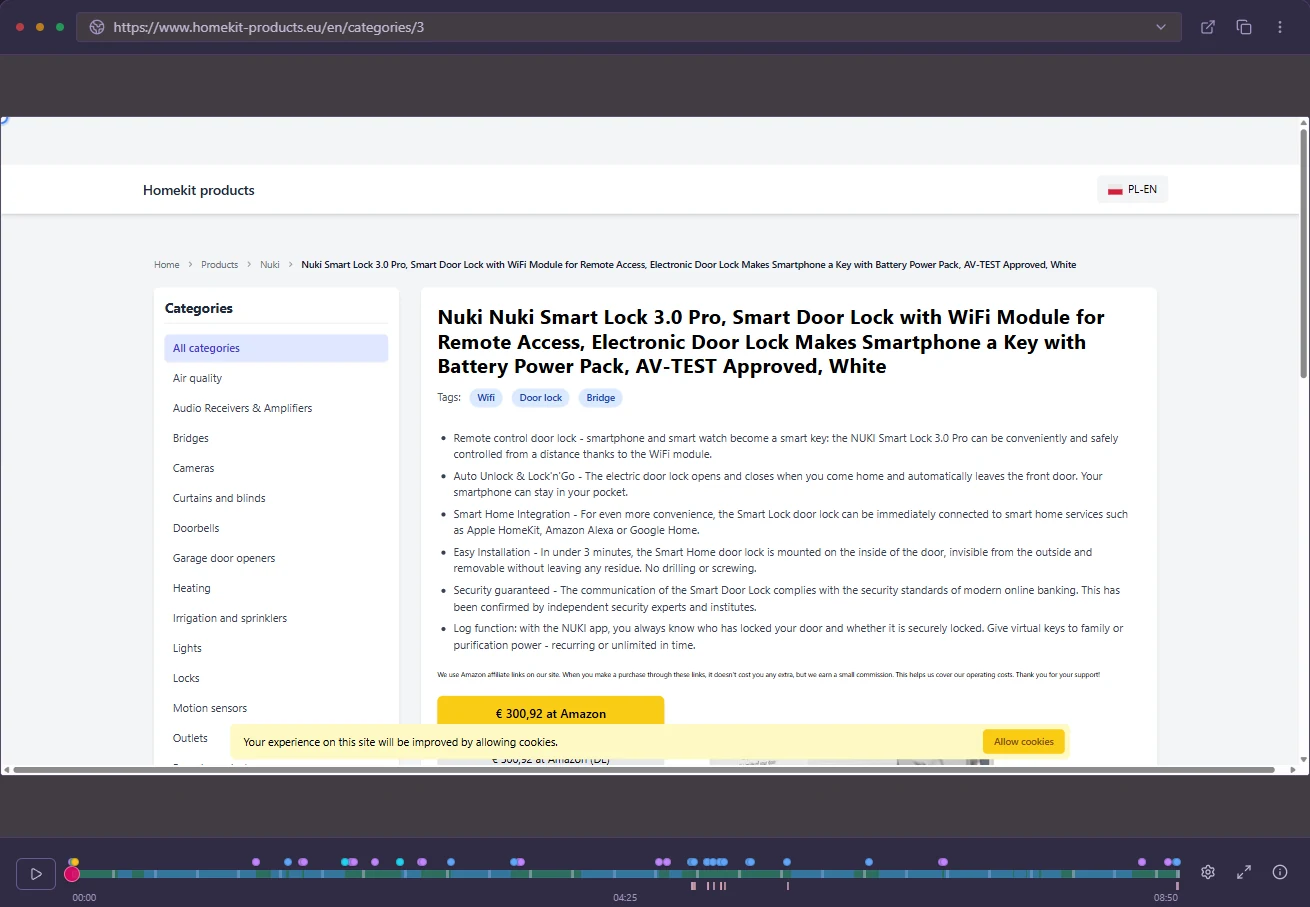
The Revisit replay player showing a product page, with a timeline of click markers underneath.

01:02

Frustration gets flagged for you

Rage clicks, dead clicks and struggling with forms are picked up automatically, so the visits that went wrong are easy to find. JavaScript errors are grouped and linked to the sessions where they happened, with the console and network log right beside them.

01:24

Open one, and the analysis is waiting

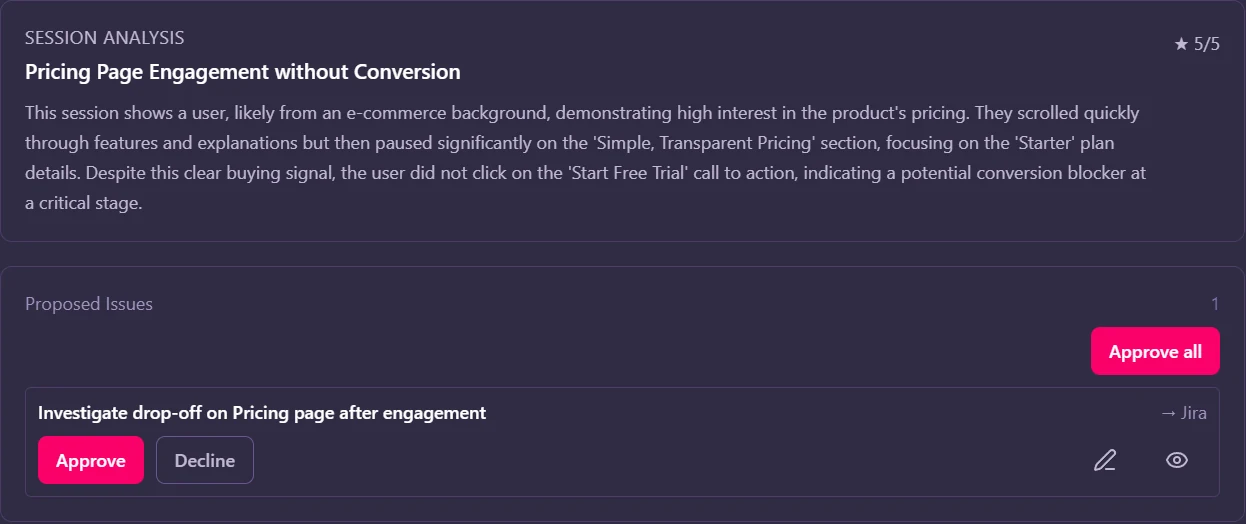
Every analysed session comes with a title, a short summary, the key moments on the timeline and the issues the AI thinks are worth fixing. Approve one and it goes to Jira or GitHub.

An AI session analysis in Revisit: a summary of the visit and a proposed issue ready to send to Jira.

All visits

Then zoom out to everyone

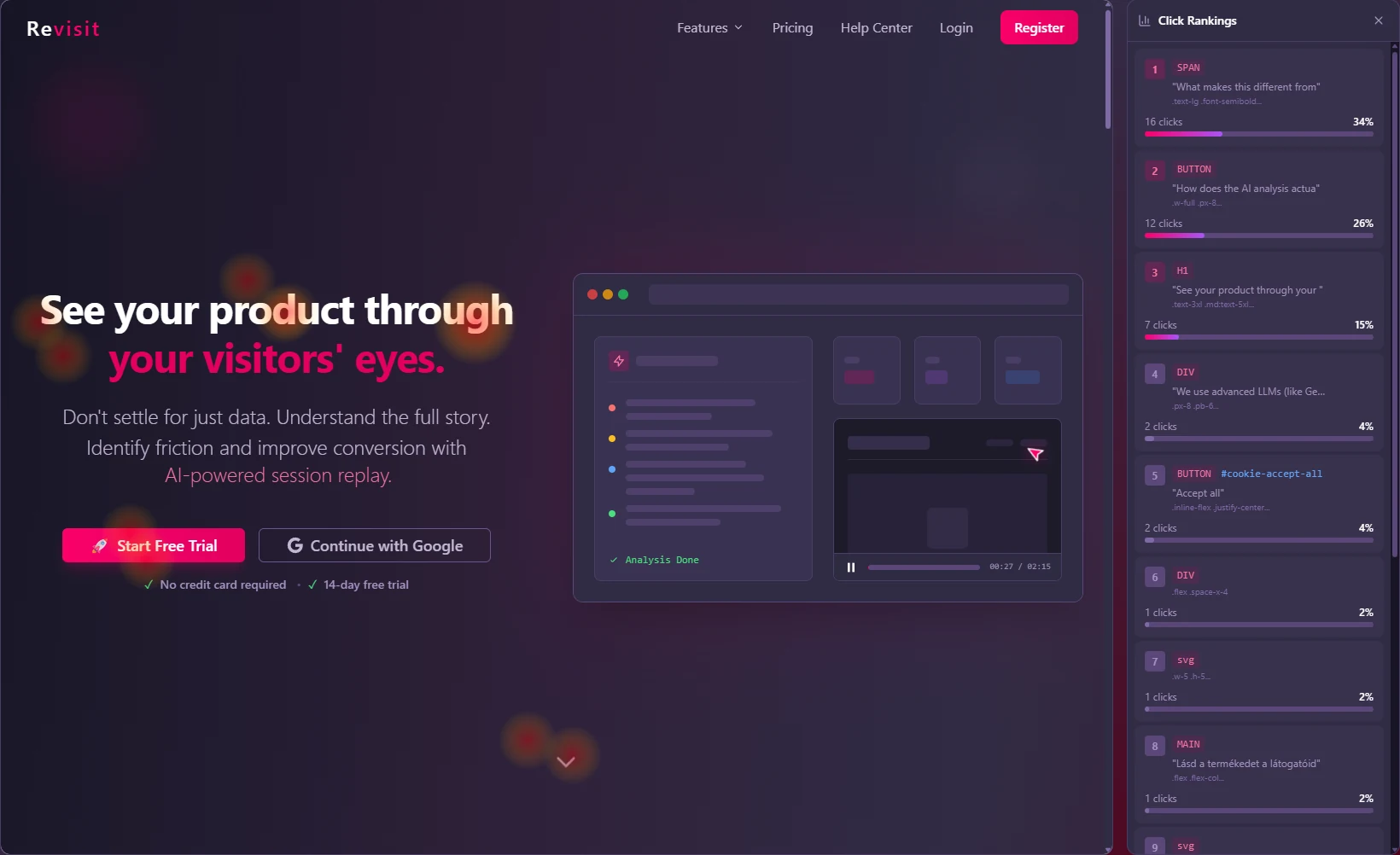
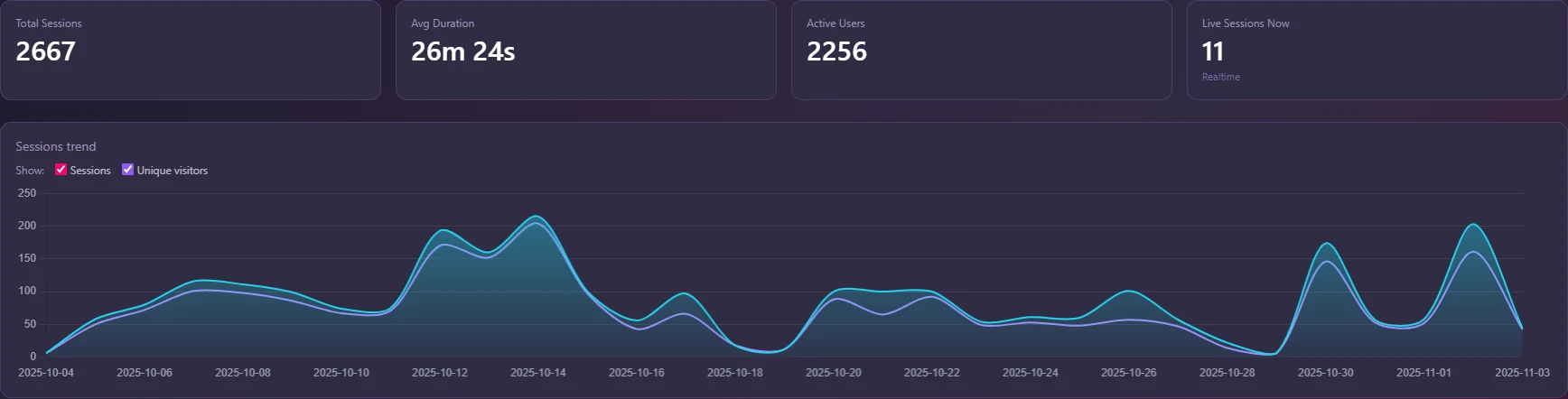
Heatmaps show where people click, move and how far they scroll, on desktop, tablet and mobile. Describe a goal in your own words or click it on your site, and follow it on the dashboard with funnels and returning visitors.

A click heatmap in Revisit over a landing page, with a ranking of the most-clicked elements on the right.The Revisit dashboard with total sessions, average duration, active users and a sessions trend chart.

Turn an insight into your team’s next fix.

Get a Slack message when rage clicks or errors pile up. Push issues to Jira or GitHub. Support agents see the visit right inside Zendesk. Workflows can also send an email or call your own endpoint when something happens.

01:03Rage clicks on /checkout
  • Slack#checkout · Rage clicks are up on /checkout
  • JiraFix TypeError when applying a coupon
  • GitHubIssue opened with the session linked
  • ZendeskThe agent sees what the customer did
  • Your endpointPOST /hooks/revisit

You see what they did, not what they typed.

Password fields are never recorded. Anything else you consider private, like an address block or an account page, disappears from replays with one attribute or a rule in your settings.

  • Hosted in the EU
  • Respects Do Not Track and Global Privacy Control
  • Exclude your own team by IP address
  • Data Processing Agreement available

Your first replay is about five minutes away.

No developer needed. If you can paste a snippet into your site’s header, you can set up Revisit.

Start free trial
  1. 00:00

    Create your account

    Enter your website’s address. Revisit suggests a setup that fits your kind of site.

  2. 02:00

    Add one snippet

    Copy it from your project settings and paste it into your site’s header.

    <!-- Revisit -->
    <script>
    (function () {
      var s = document.createElement('script');
      s.src = 'https://script.revisit.pro/revisit-recorder.iife.js';
      s.async = true;
      s.setAttribute('data-api-key', 'rv_your_api_key');
      document.head.appendChild(s);
    })();
    </script>

    Or use the WordPress plugin or Google Tag Manager.

  3. 05:00

    Read your first summary

    Recording starts with the next visit. The AI summary arrives as soon as that visit ends, like this example:

    Revisit AIAdded a jacket to the bag, compared two sizes and paid with Apple Pay.

Pricing that grows with your traffic.

Every plan starts with a 14-day free trial. Pick the one that fits how many people visit your site each day.

Small sites

Starter

For personal sites and small shops.

€19per month

Billed monthly

Up to 100 visitors a day

Start free trial

Includes

  • Session replay and heatmaps
  • AI summaries and Ask AI
  • Dashboard, events and funnels
  • Email support

Most popular

Professional

For growing businesses and teams.

€49per month

Billed monthly

Up to 500 visitors a day

Start free trial

Everything in Starter, plus

  • Slack, Jira, GitHub and Zendesk
  • WordPress plugin
  • Custom events builder
  • Priority support

High traffic

Enterprise

For high-traffic sites and large teams.

€199per month

Billed monthly

No daily visitor limit

Talk to us

Everything in Professional, plus

  • SSO and advanced security
  • A dedicated success manager
  • Custom SLA
  • Annual billing on request

In every plan

  • 14-day free trial, no card
  • AI analysis free during the trial
  • Hosted in the EU
  • Cancel any time, no setup fees

After the trial, use your own OpenRouter key for AI at no extra cost, or pay only for what you use with a monthly cap. See the full plan comparison

Good questions.

Something else on your mind? Write to us and a person will reply.

The page and every change to it, plus clicks, mouse movement, scrolling, form input, page changes, console messages, JavaScript errors and network requests. It isn’t a screen video, so replays stay sharp and small, and password fields are never recorded.

No. If you can paste a snippet into your site’s header, you can install Revisit. Use the WordPress plugin, add the snippet directly, or install it with Google Tag Manager.

The script loads asynchronously, so it never blocks your page from showing. Recorded data is batched and compressed before it’s sent.

When a visit ends, the AI reviews it and writes a summary with the key moments and suggested issues. You can also ask it questions about all your sessions. AI is free during the trial. After that, use your own OpenRouter key at no extra cost, or pay as you go with a monthly cap.

Revisit is hosted in the EU. Password fields are never recorded, and you can hide any other element from replays, exclude IP addresses and respect Do Not Track. You can export or delete a visitor’s data, and a Data Processing Agreement is available.

Choose a plan to keep recording. There are no setup fees and you can cancel any time.

Your next visitor is already on the way.

Add Revisit today and watch their visit this afternoon.

Start free trial

14 days free. No credit card. Cancel any time.