Loading Revisit...
Skip to content

Custom events

Custom events
in natural language.

Describe what you want to track, like “User opened a blog post” or “User compares pricing”, and AI detects it in session recordings. More reliable than fragile selectors.

Still supported: click events, page visits, form abandonment, URL patterns and optional GA4 forwarding.

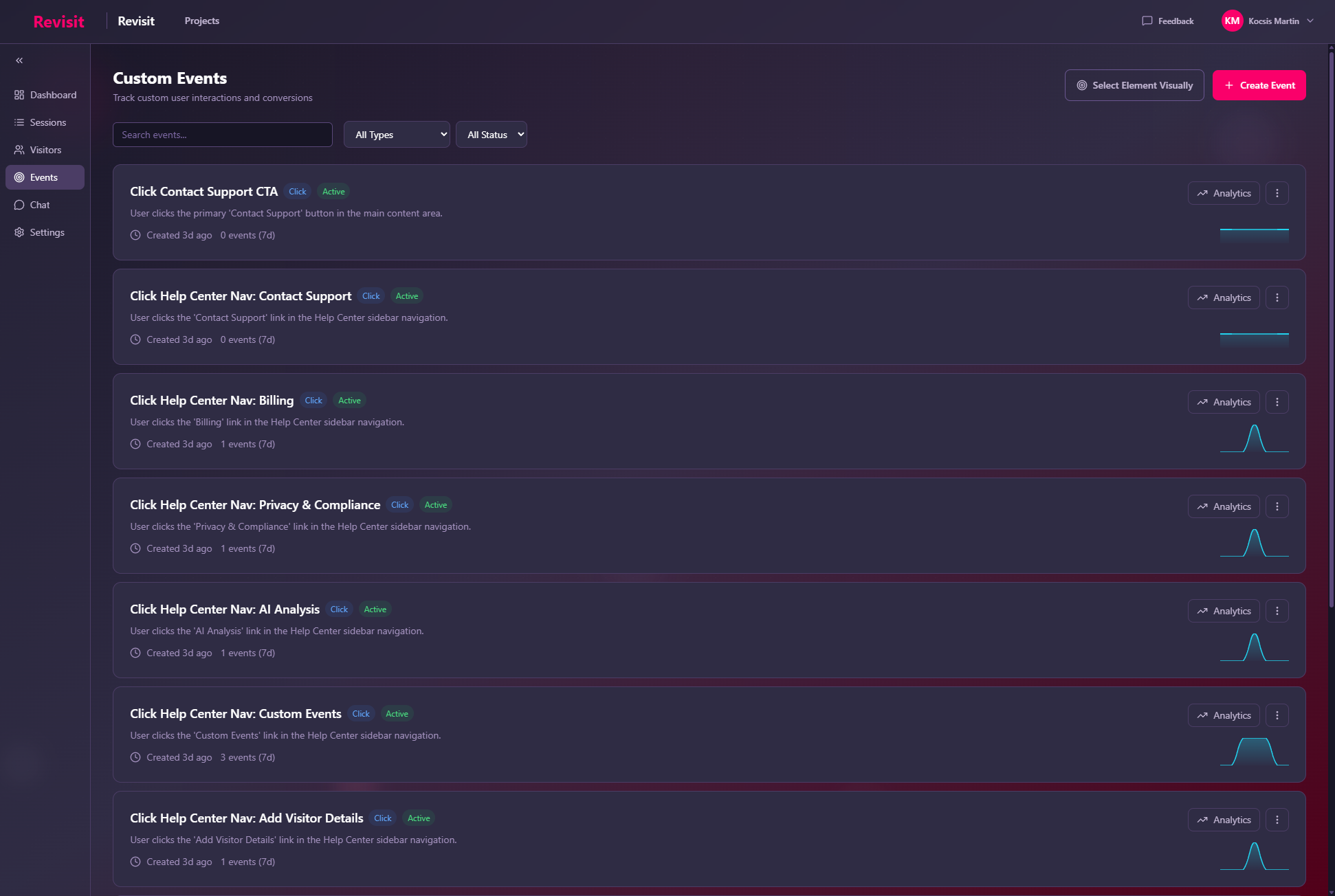
The custom events list in Revisit: each event with its description, recent count and a small trend chart.

Track what matters, your way.

AI‑detected events come first. Classic tracking is still there when you want it.

  • AI‑detected events

    Define events in plain English. AI detects them in session recordings and logs every occurrence automatically.

  • Visual picker (optional)

    Point and click to create classic click, page and form events. No code or deploys required.

  • Flexible matching

    URL patterns and match types: exact, contains, starts with, ends with, or regex.

  • Form abandonment

    Track drop‑offs with thresholds like a minimum number of fields filled.

  • Analytics built in

    Counts and 7‑day trend sparklines, with no extra setup.

  • Optional GA4 forwarding

    Forward selected events to GA4 at capture time for unified reporting.

Primary

AI‑detected events, in natural language

Stop fighting selectors. Describe what matters and let AI detect it in the recording. Great for behaviour, intent and messy real‑world flows.

  • Define events in plain language
  • Occurrences are detected during session analysis
  • More resilient than fragile selectors and URL hacks
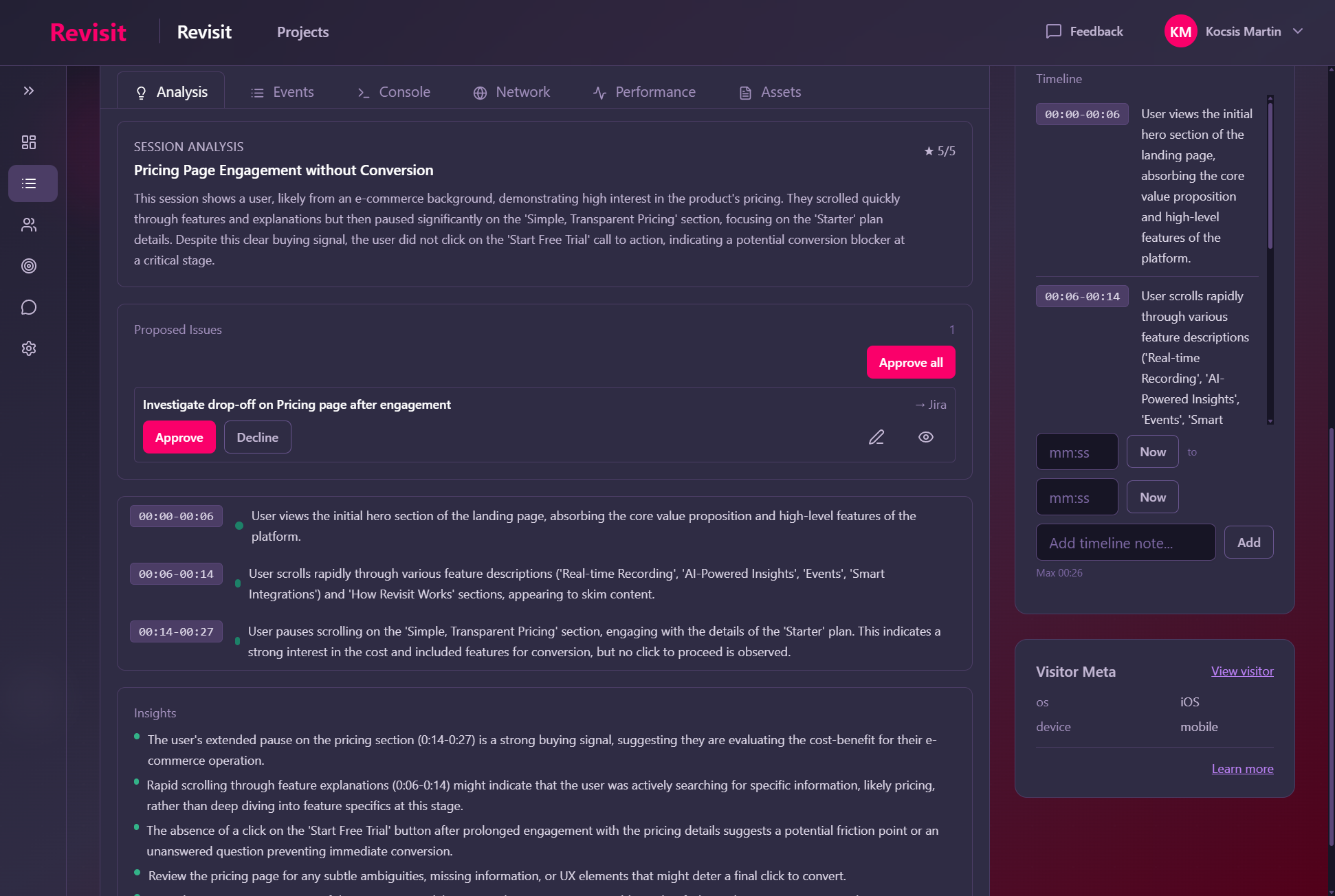
An AI session analysis in Revisit, where the AI describes what the visitor did and flags the key moments.

Still included

Visual picker and classic events

Prefer traditional tracking? Use the point‑and‑click picker for clicks, page visits and form abandonment. No engineers needed.

  • Click, page visit and form abandonment events
  • Tokenized, time‑limited selection flow
  • Turn events on or off any time
The Revisit visual event picker open on a website, with the list of events being created beside the page.

Reporting

Analytics and optional GA4 forwarding

See counts and sparklines out of the box. Optionally forward events to GA4 at capture time for unified reporting.

  • Built‑in 7‑day trend sparkline
  • One‑click GA4 forwarding per event
  • Clean event metadata for downstream tools
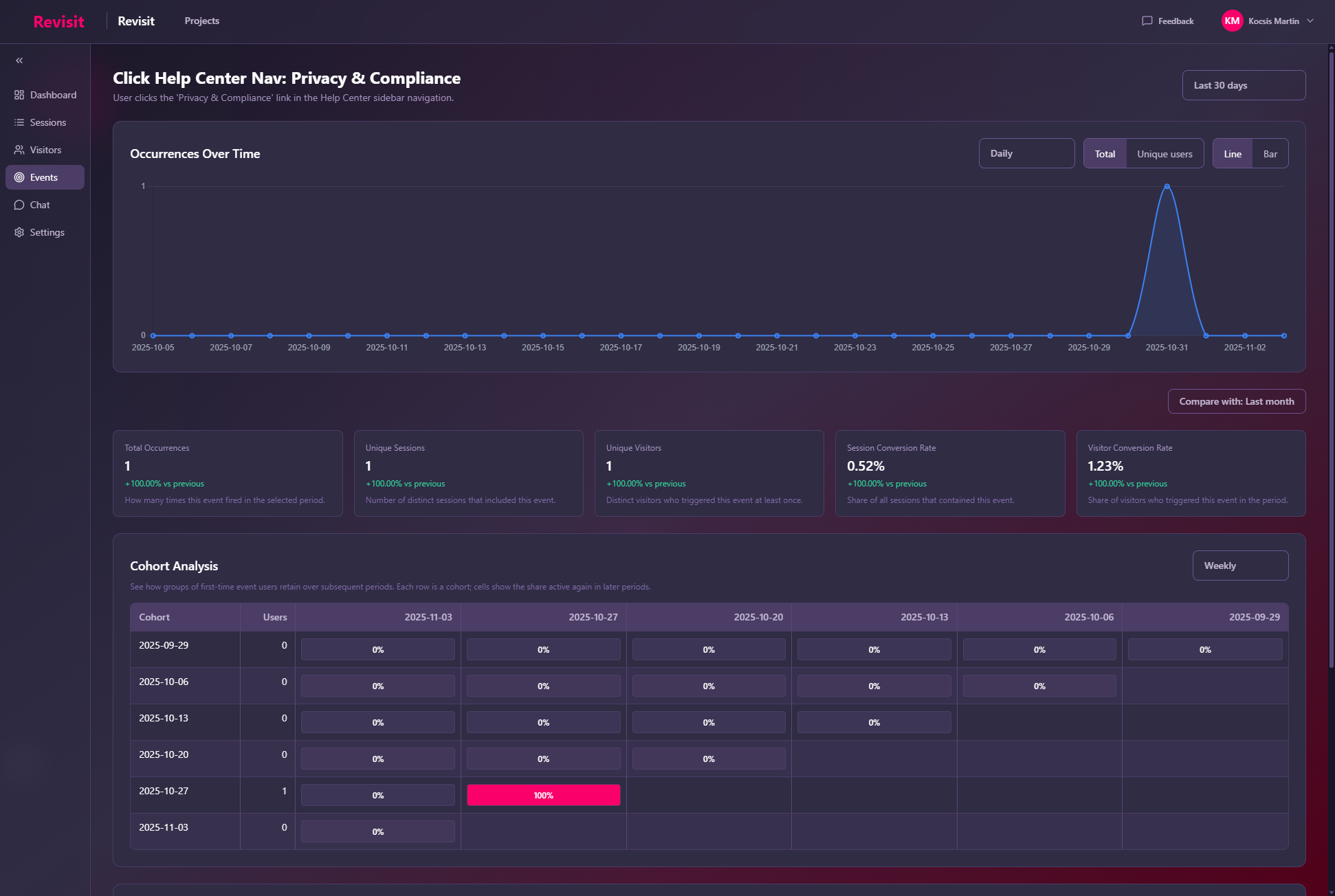
A custom event's detail page in Revisit: occurrences over time, key numbers and a cohort table.

Still have questions?

Our team is here to help. Contact us and we’ll get back to you within 24 hours.