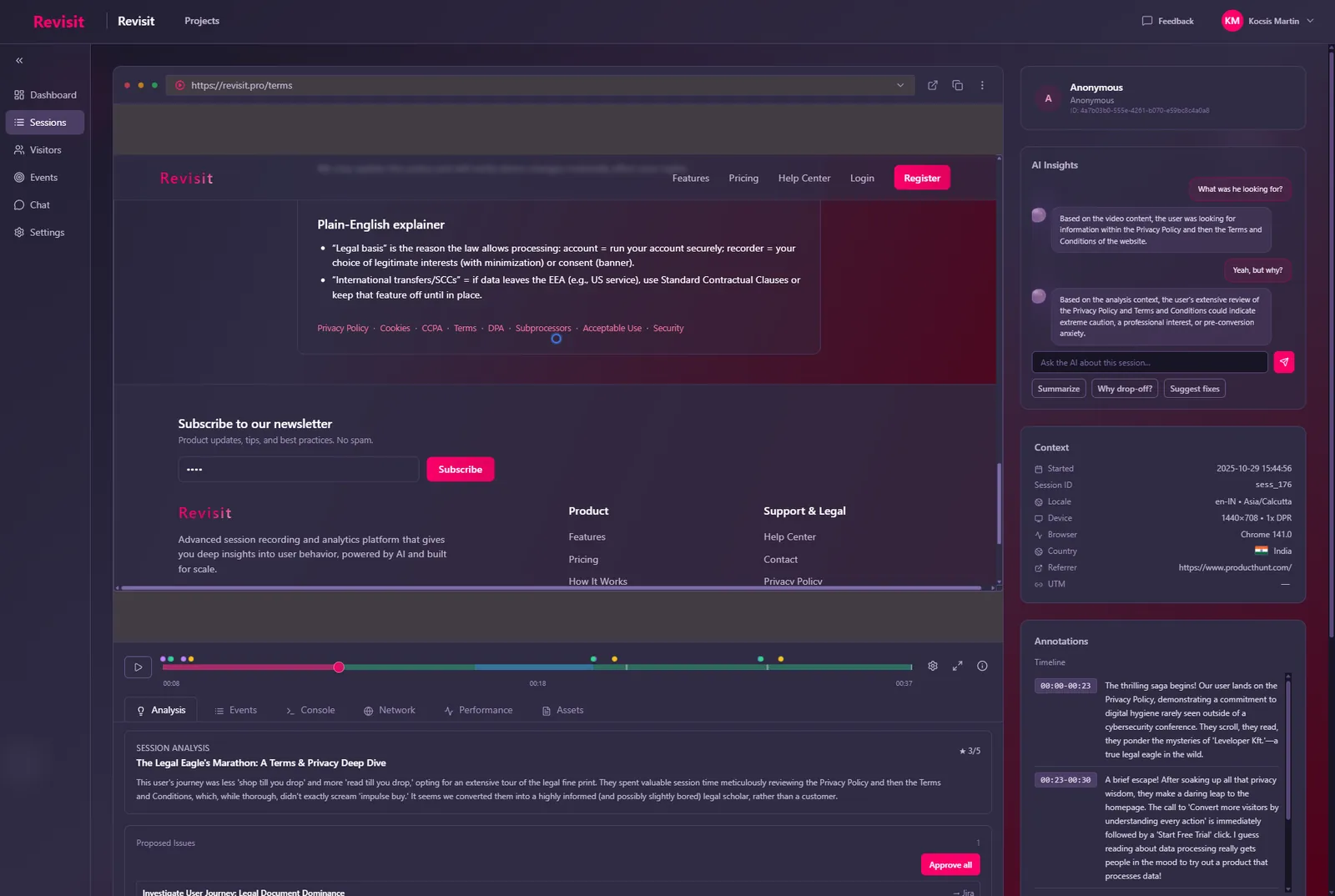
To find out why visitors abandon your checkout, combine two things: numbers that show where in the checkout people drop off, and session replays that show what happened right before they left. The funnel tells you which step loses people. The replays tell you whether it was a surprise cost, a broken button, a confusing form or something else, so you fix the real cause instead of guessing.
Checkout abandonment is one of the most studied problems in e-commerce. The Baymard Institute’s long-running benchmark puts the average documented cart abandonment rate at around 70%, and its surveys keep finding the same kinds of reasons: unexpected extra costs, forced account creation, slow delivery, a long or complicated checkout, and not trusting the site with card details. Those lists are a great starting point. But they describe shoppers in general, not your shoppers. This guide shows how to find out which of these, or which other problem, is costing you orders.
Step 1: Measure where people leave
Before watching anything, define your checkout as a series of steps and count how many visitors reach each one. For most shops that is something like:
- Cart viewed
- Checkout started
- Contact or shipping details entered
- Shipping method chosen
- Payment submitted
- Order confirmed
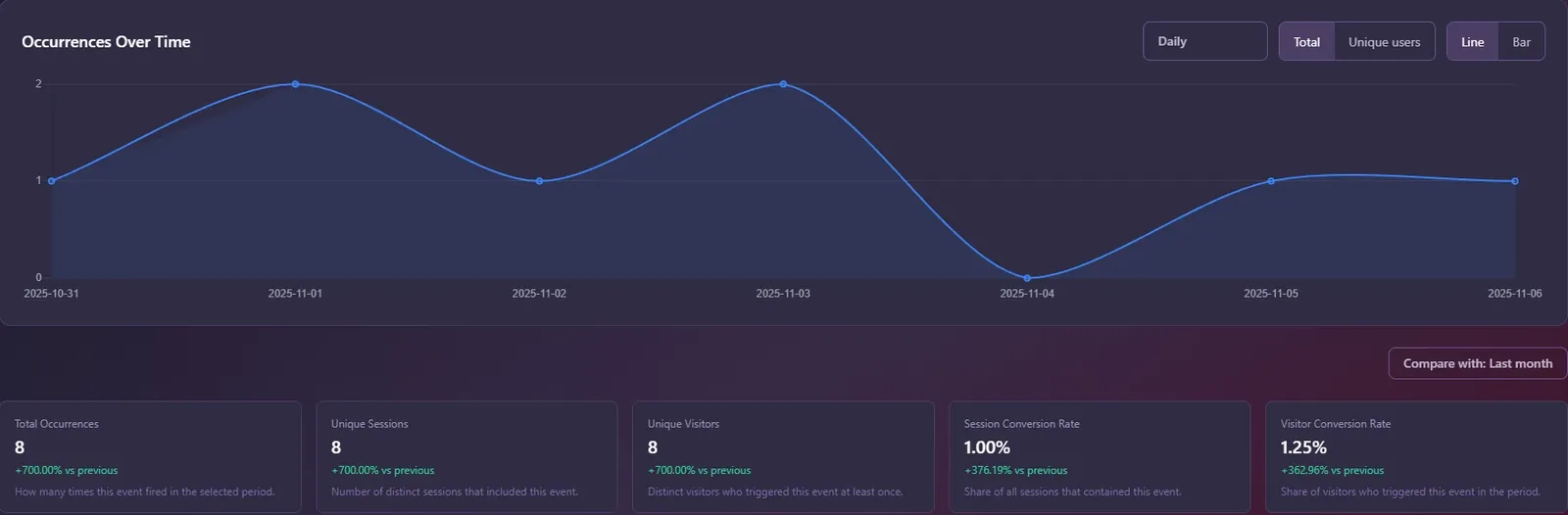
The biggest drop between two steps is where to look first. In Revisit you can track each step as a custom event, by clicking the element on your site, matching a URL, or describing it in plain English (“visitor submits the payment form”), and put the steps in a funnel to see the conversion between them.
Step 2: Watch the sessions that dropped off at that step
Now find the visits that ended at the leaky step. In Revisit, filter sessions by exit page (for example the URL of your shipping step) and open their replays. You are looking for what happened in the last minute before they left. Watch with the console and network log open: a surprising number of “UX problems” turn out to be JavaScript errors or failed requests.
As you watch, note what you see in a simple tally. After 10 to 20 sessions, a pattern usually stands out.
What checkout problems look like in a replay
| What you see | Likely cause | What to try |
|---|---|---|
| The visitor reaches the shipping step, sees the total, scrolls up and down, then leaves | Unexpected shipping cost or fees | Show shipping costs on the product or cart page, before checkout |
| Leaves on the “create an account” screen | Forced registration | Offer guest checkout; ask for a password after the order |
| Clicks “Apply coupon” or “Pay” several times, nothing happens | Broken or slow action (rage or dead clicks) | Check the console and network log at that moment; fix and add feedback |
| Retypes the same field, jumps between fields, clears the form | Confusing validation or field format | Clear inline errors, accept common formats, fewer required fields |
| Opens a new tab to search for a discount code, never comes back | A prominent coupon field invites code hunting | Make the coupon field less prominent, or show available offers |
| Hesitates on the payment step, hovers over payment options, leaves | Missing preferred payment method or low trust | Add the payment methods your buyers expect; show trust signals near the form |
| Zooms, pinches and mis-taps on mobile | Layout not built for small screens | Larger tap targets, the right keyboard for each field, a single column |
Revisit flags several of these automatically: rage clicks, dead clicks, form struggles, back-and-forth navigation and scroll thrashing are detected in every session, so the visits where something went wrong are easy to find. Read more about them in Rage clicks and dead clicks: what they are and how to fix them.
Step 3: Let AI do the first pass
Watching 20 replays takes time. Watching 200 isn’t realistic. This is where AI session analysis helps: when a visit ends, Revisit’s AI reviews the whole recording and writes a short summary of what the visitor did, marks the key moments on the timeline and suggests issues worth fixing. Each session also gets an interest score from 1 to 5, so you can open the most telling ones first.
You can tell the AI what to focus on, for example sales or UX, and then ask questions across all your sessions in plain English, such as “Why do people leave on the shipping step?”. Treat the answers as a strong lead, and confirm them by watching the replays they point to.
Step 4: Fix one thing, then check it worked
Pick the problem that appears most often at the leakiest step and fix that first. Then compare the step’s conversion before and after, and watch a handful of new sessions to confirm the behaviour you saw is gone. If you change several things at once, you won’t know which one helped.
A few fixes come up again and again because they are cheap and effective:
- Show the full price early. Shipping, taxes and fees should not first appear on the last step.
- Offer guest checkout. Let people create an account after they have paid.
- Ask for less. Remove optional fields, and use autofill-friendly field names and input types.
- Make errors impossible to miss. Next to the field, in plain words, with focus moved to it.
- Give instant feedback on buttons. A pressed state or spinner the moment “Pay” is clicked.
- Test on a real phone. Most checkout problems that only happen on mobile are obvious in a mobile replay.
Frequently asked questions
Why do people abandon their cart at checkout?
The most common reasons in public research, such as the Baymard Institute’s surveys, are unexpected extra costs, being forced to create an account, slow delivery, a long or complicated checkout and not trusting the site with payment details. Bugs and confusing forms are also common, and only show up when you watch what visitors actually did.
How do I find out why visitors leave my checkout?
Track each checkout step so you can see where the biggest drop is, then watch session replays of the visits that ended on that step. Look at the last minute before they left, together with the console and network log. After 10 to 20 sessions a pattern usually appears.
Can session replay reduce cart abandonment?
Session replay does not change your checkout by itself, but it shows the concrete reason people leave, such as a broken coupon button or a surprise shipping cost. Fixing those causes is what reduces abandonment, and replays let you confirm the fix worked.
How many session recordings should I watch?
Start with 10 to 20 sessions that dropped off at the same step. Use automatic frustration detection and AI summaries to choose which ones to watch, rather than watching recordings at random.
Is it safe to record checkout pages?
Yes, if sensitive fields are kept out of the recording. Revisit never records password fields, and you can hide any other element, such as payment or address fields, from replays with one attribute.